
One platform for the whole customs filing cycle
BlueStar ACE brings entries, security filings, in-bond, foreign trade zones, exports, drawback, statements and billing into one workspace, built by trade compliance people for customs brokers and self-filing importers.
Key it once
Importer, bond and shipment data entered on one filing carries to the next: entry, statement, invoice and client portal read from the same record.
Catch it before CBP does
Pre-transmit validation checks each entry against the same rules ACE applies and names the CBP Form 7501 block to fix.
Show your work
Every message sent and received sits in the ABI transaction queue, and every admin change is written to an audit log.
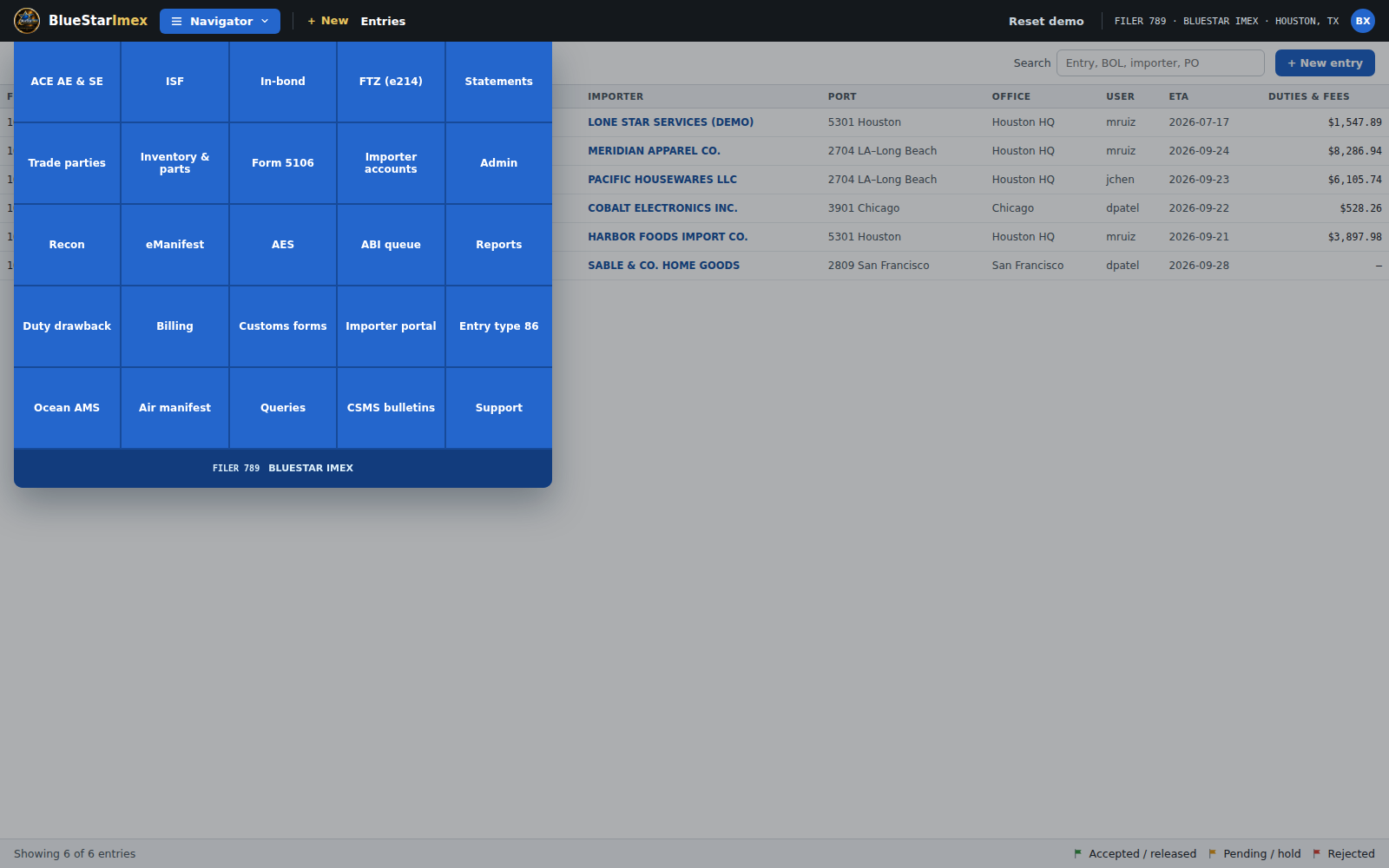
Every filing your desk handles, one tile away
The Navigator opens each workspace. Most follow the same pattern: enter the data, validate, transmit, then read the response and act on it.
Entry and entry summary
File CBP Form 7501 block for block, with quick-fill from the importer record.
- Up to 32 merchandise lines per entry
- PGA data and Section 232 steel and aluminum declarations
- Reject codes explained, then re-file
ISF and in-bond
Importer Security Filing (10+2) and in-bond movements in their own workspaces.
- ISF data-element checklist and bill match status
- In-bond filing for transportation and exportation moves
- CBP Form 7512 generated from data on file
Foreign trade zones
Track zone admissions through withdrawal.
- e214 admissions
- Weekly entry and duty deferral tracking
- FTZ activity report with audit trail, exported to Excel
Exports and duty drawback
Export filings and recovery work alongside your imports.
- Electronic Export Information prepared from data on file
- Drawback claim assessments with source-entry breakdown
- Per-claim summary workbooks for review
Statements and billing
From what you owe CBP to what the client owes you.
- Daily or periodic monthly statements with entry-level drill-down
- One invoice per entry: duties and fees, plus brokerage fee
- CSV and QuickBooks export; accounting integrations panel
Importer accounts and client portal
Know your importer, and let them see their side.
- Due-diligence records and CBP compliance checks on importer and bond
- Importer Portal for shipment status, duties and documents
- Roles, filer settings and an audit log in Admin
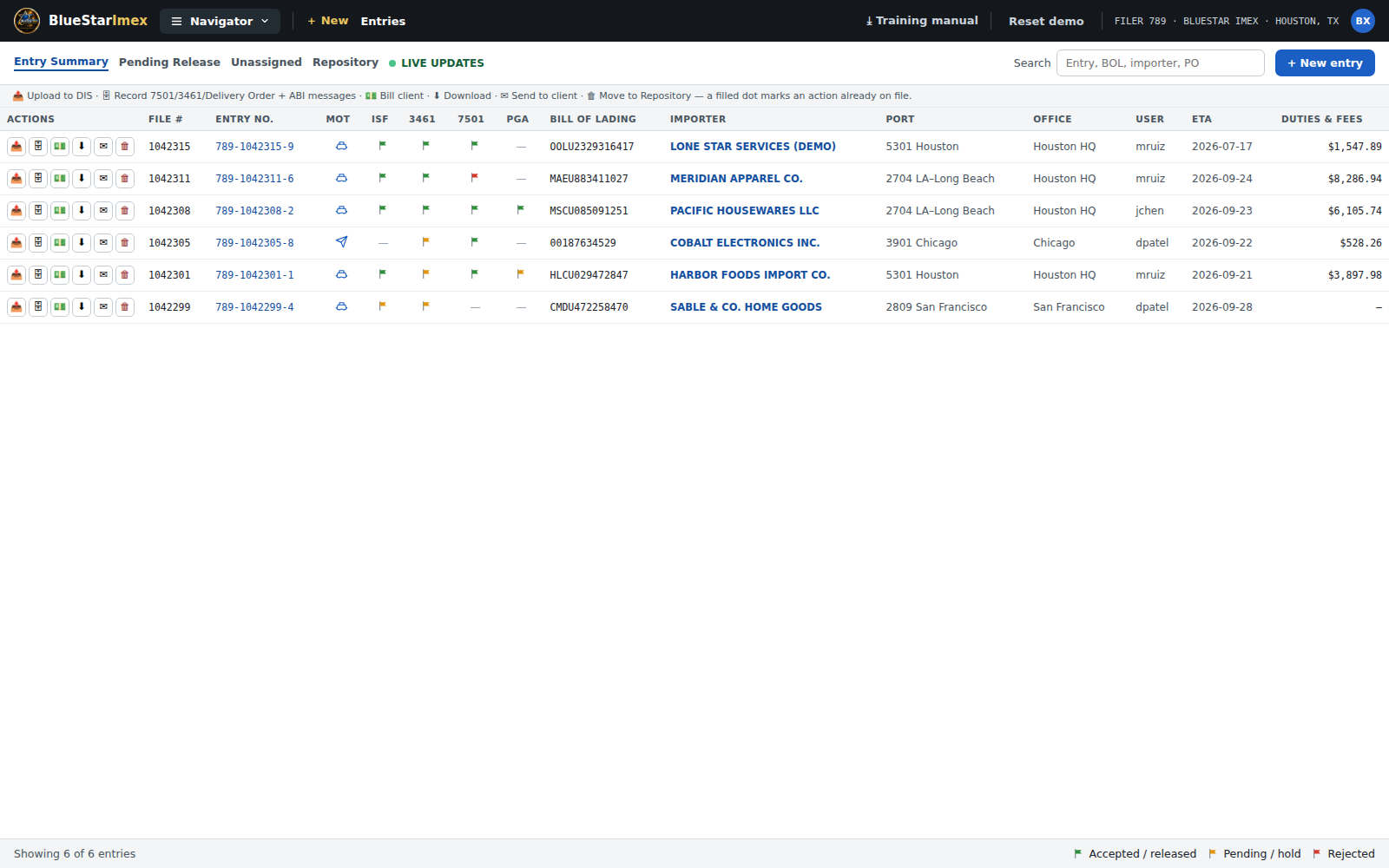
A worklist that tells you where every entry stands
Draft, sent, accepted or rejected: each entry is one row with importer, port, mode of transport and disposition at a glance.
- Six-icon action bar: record documents, bill the client, send documents and invoice
- Repository tab for archived entries, with restore
- ABI queries for HTS, bond, manufacturer ID and manifest lookups
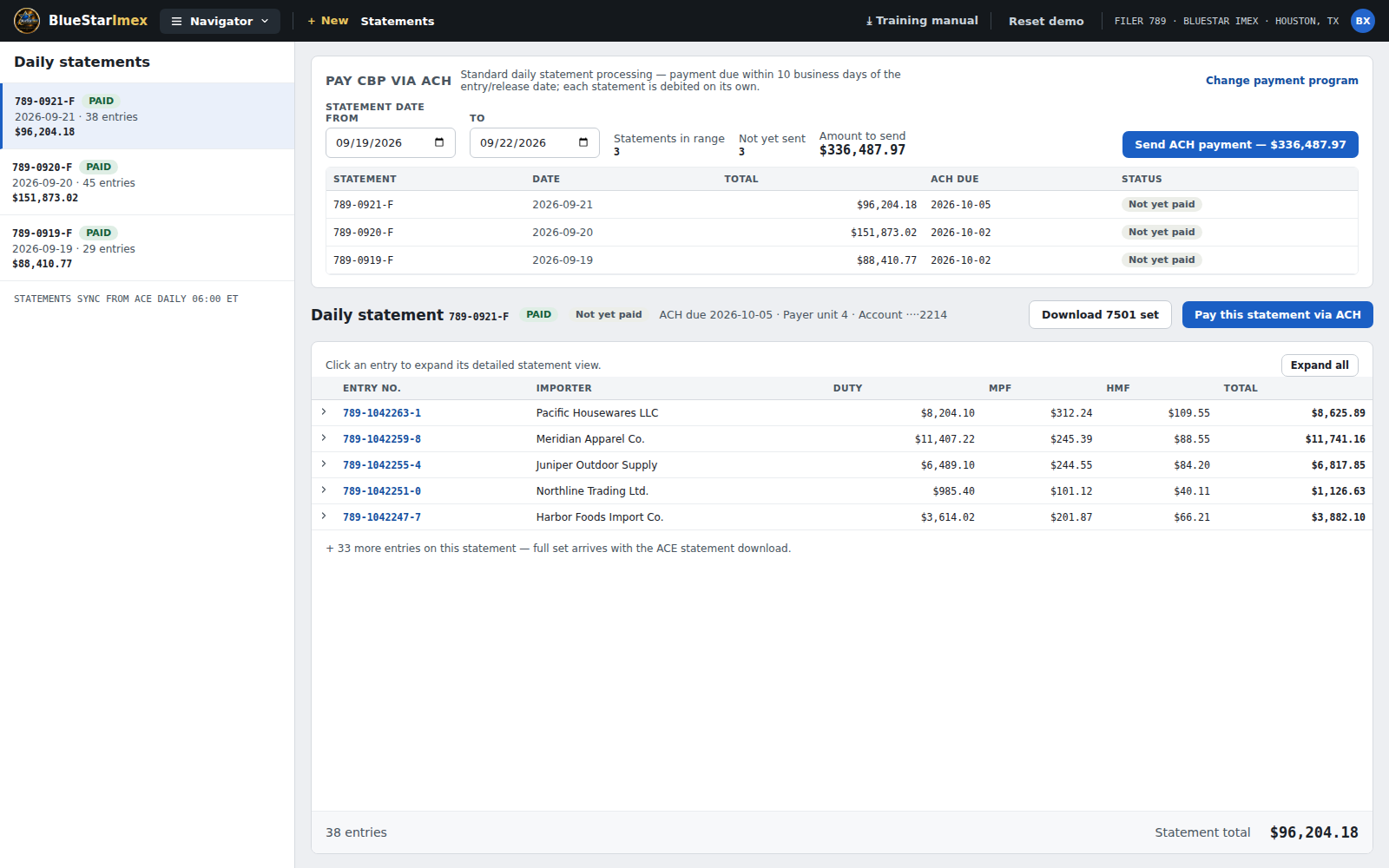
See what CBP will debit, before it does
Statements group entries by due date and drill down to each entry's duty, taxes and fees.
- Daily statement or Periodic Monthly Statement, set once in Admin
- Entry-level drill-down for reconciliation
- ACH payment tracking against the statement
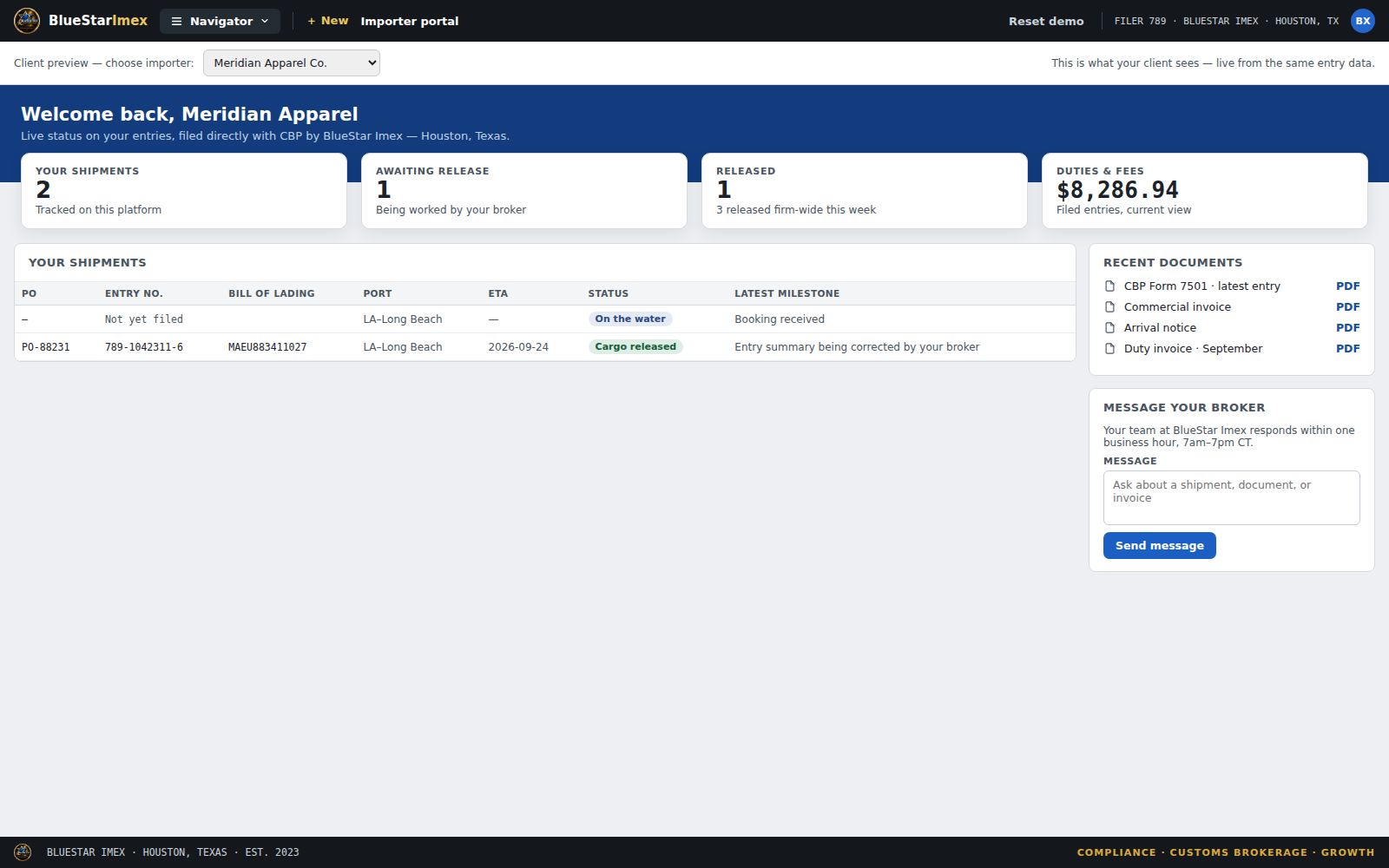
Give clients their own view
Importers see shipment status, the duties and fees on their entries, and recent documents, without a phone call.
- Shipment status at a glance
- Duties and fees by entry
- Recent documents, including the duty invoice
Classification support that shows its reasoning
Describe the product in plain English. The workbench proposes an HTS number, walks General Rules of Interpretation 1 through 6, and screens the result for trade remedies and other issues likely to change the duty owed.
Decision support, by design
AI and assessment features produce an estimate for a licensed professional to review. They are not a binding classification, a watchlist screening, or a filed claim.
Built for the people who file
Customs brokers
Run entries, statements, billing and client communication from one worklist, with the importer file to back each filing.
Self-filing importers
Keep your own filings, parts master and duty history in one place, with validation before anything is transmitted.
Compliance and finance teams
Excel activity reports by period, an audit log of changes, and invoices that tie to one entry number.
Nine video modules, from first filing to importer file
Each module pairs the rule with the screen in four to seven minutes, with a two-minute orientation to start. New staff learn the regulation and the workflow together.
- 01Importer Security Filing (ISF 10+2)
- 02ACE entry and entry summary
- 03In-bond movements
- 04Foreign trade zones and the e214
- 05Automated Export System
- 06Duty drawback
- 07Statements and payment to CBP
- 08Billing
- 09Importer accounts
Let's walk through BlueStar ACE together
Tell us what you file and when you're free. We'll show you the Navigator and the workspaces that matter to your operation, with time for your questions.
Built to CBP's CATAIR specifications. Production ABI transmission requires CBP certification of the software; ask us about current status during your demo. Screens shown use the platform's built-in training dataset.